> ## Documentation Index
> Fetch the complete documentation index at: https://bruno-a6972042-docs-clustered-top-nav-v2.mintlify.site/llms.txt
> Use this file to discover all available pages before exploring further.

# Document a Folder

To add Folder-level documentation in Bruno, you need to first create a folder within your collection. Once the folder is created, you can add specific details for the folder-level API documentation.

## Create Folder Docs

1. Navigate to the folder level settings.
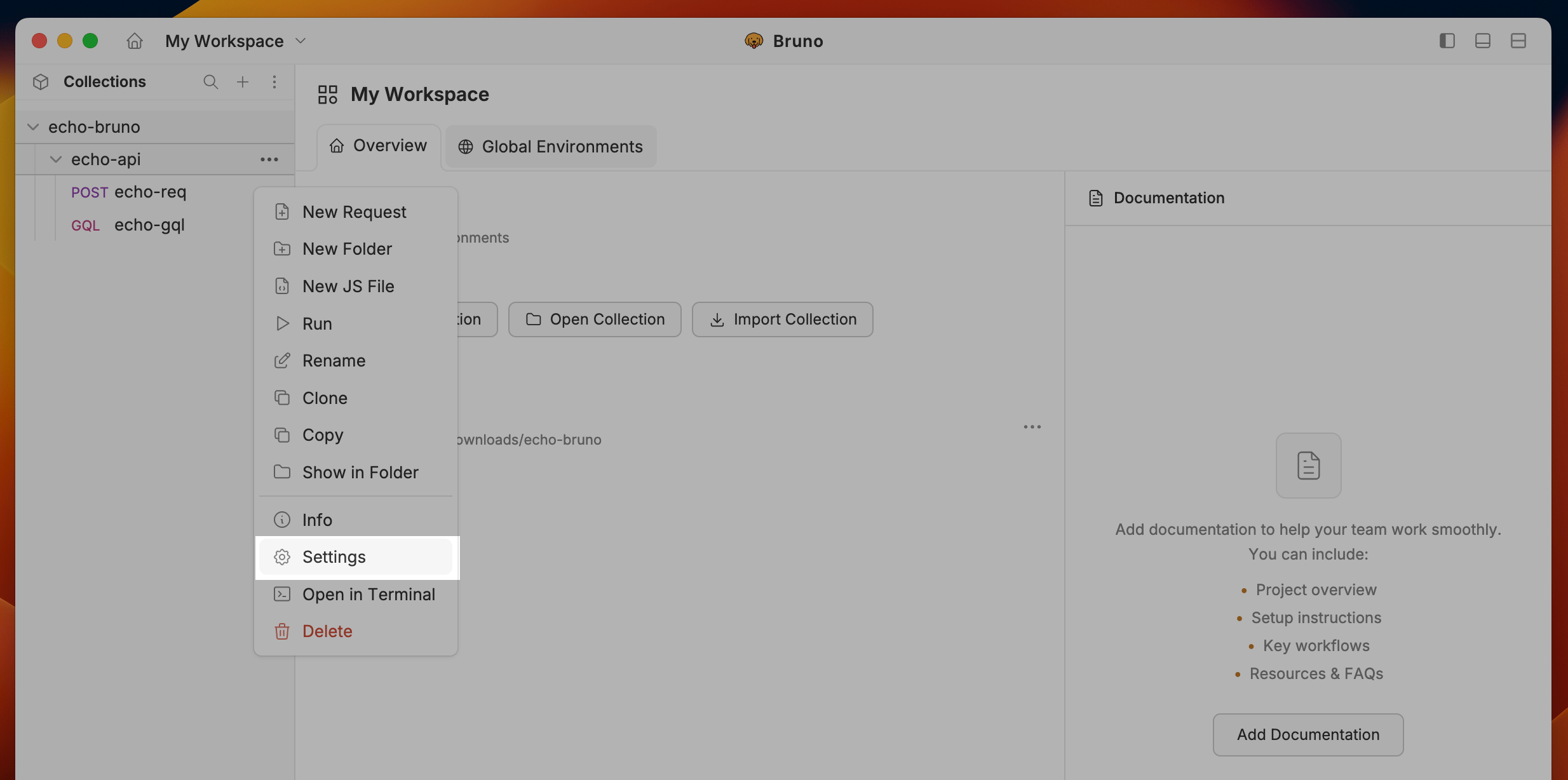
<img src="https://mintcdn.com/bruno-a6972042-docs-clustered-top-nav-v2/-bH3-7GrtlrGkAaU/images/screenshots/send-request/api-docs/folder-settings.webp?fit=max&auto=format&n=-bH3-7GrtlrGkAaU&q=85&s=d1ae49f2bdaf5363b53f6ca7e6b95cc5" alt="folder-level-setting" width="2468" height="1228" data-path="images/screenshots/send-request/api-docs/folder-settings.webp" />

2. Go to the Docs tab and click the **Edit** button.
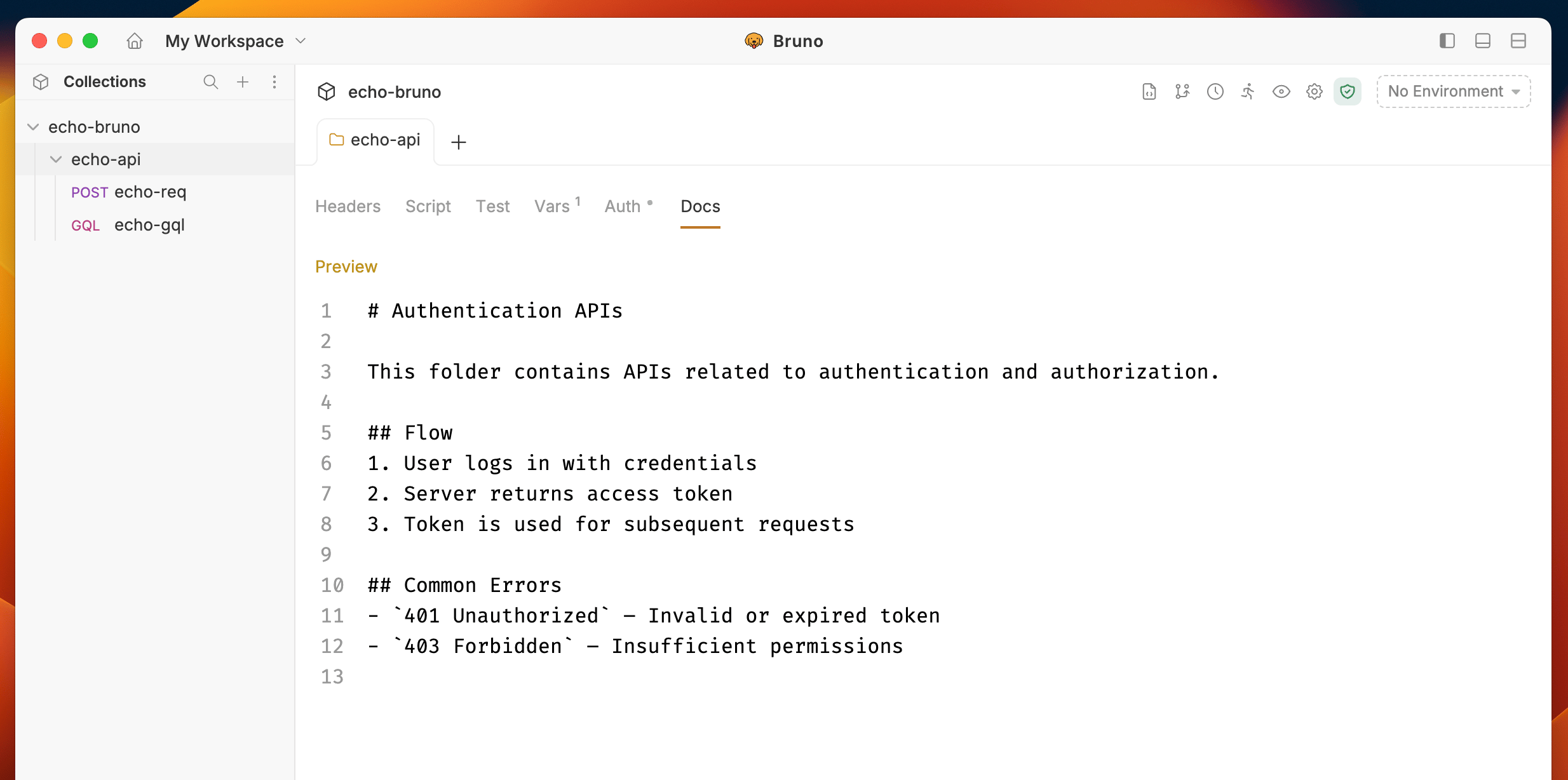
<img src="https://mintcdn.com/bruno-a6972042-docs-clustered-top-nav-v2/-bH3-7GrtlrGkAaU/images/screenshots/send-request/api-docs/folder-preview.webp?fit=max&auto=format&n=-bH3-7GrtlrGkAaU&q=85&s=51f9d779c1a20ea5e20fbbedffab4188" alt="folder-level-setting" width="2468" height="1228" data-path="images/screenshots/send-request/api-docs/folder-preview.webp" />

3. Click the **Preview** button to view the formatted output.
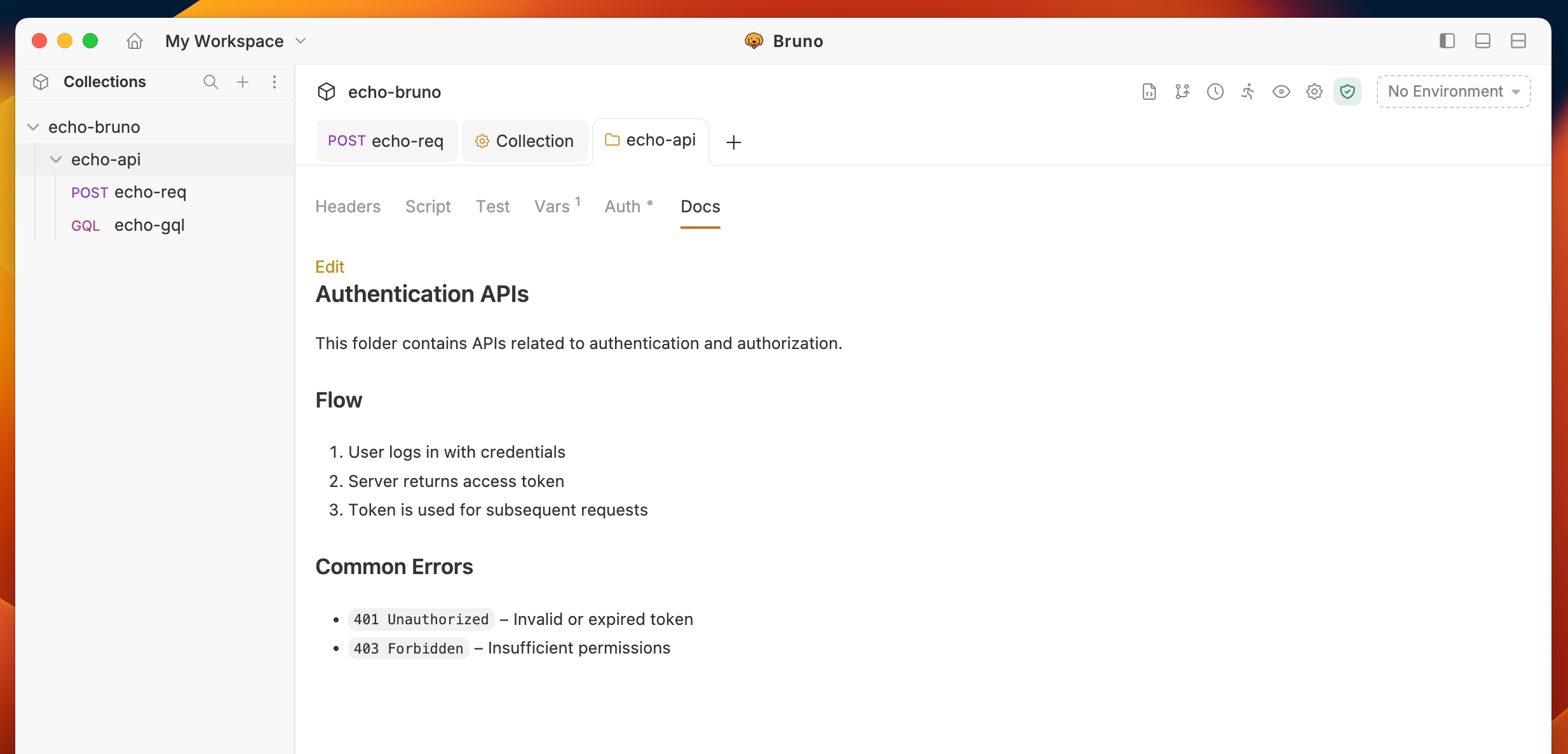
<img src="https://mintcdn.com/bruno-a6972042-docs-clustered-top-nav-v2/-bH3-7GrtlrGkAaU/images/screenshots/send-request/api-docs/docs-preview-folder-level.webp?fit=max&auto=format&n=-bH3-7GrtlrGkAaU&q=85&s=59399df849fd486440cacd4ecb0588a7" alt="docs-preview-folder-level" width="2468" height="1186" data-path="images/screenshots/send-request/api-docs/docs-preview-folder-level.webp" />
