> ## Documentation Index
> Fetch the complete documentation index at: https://bruno-a6972042-docs-clustered-top-nav-v2.mintlify.site/llms.txt
> Use this file to discover all available pages before exploring further.
# Generated HTML Documentation
Bruno can generate a standalone HTML documentation site from any collection. The result is a single, self-contained file — a shareable, interactive API reference that you can open in any browser, send to API consumers, or deploy to any static host. No Bruno installation is required to view it.
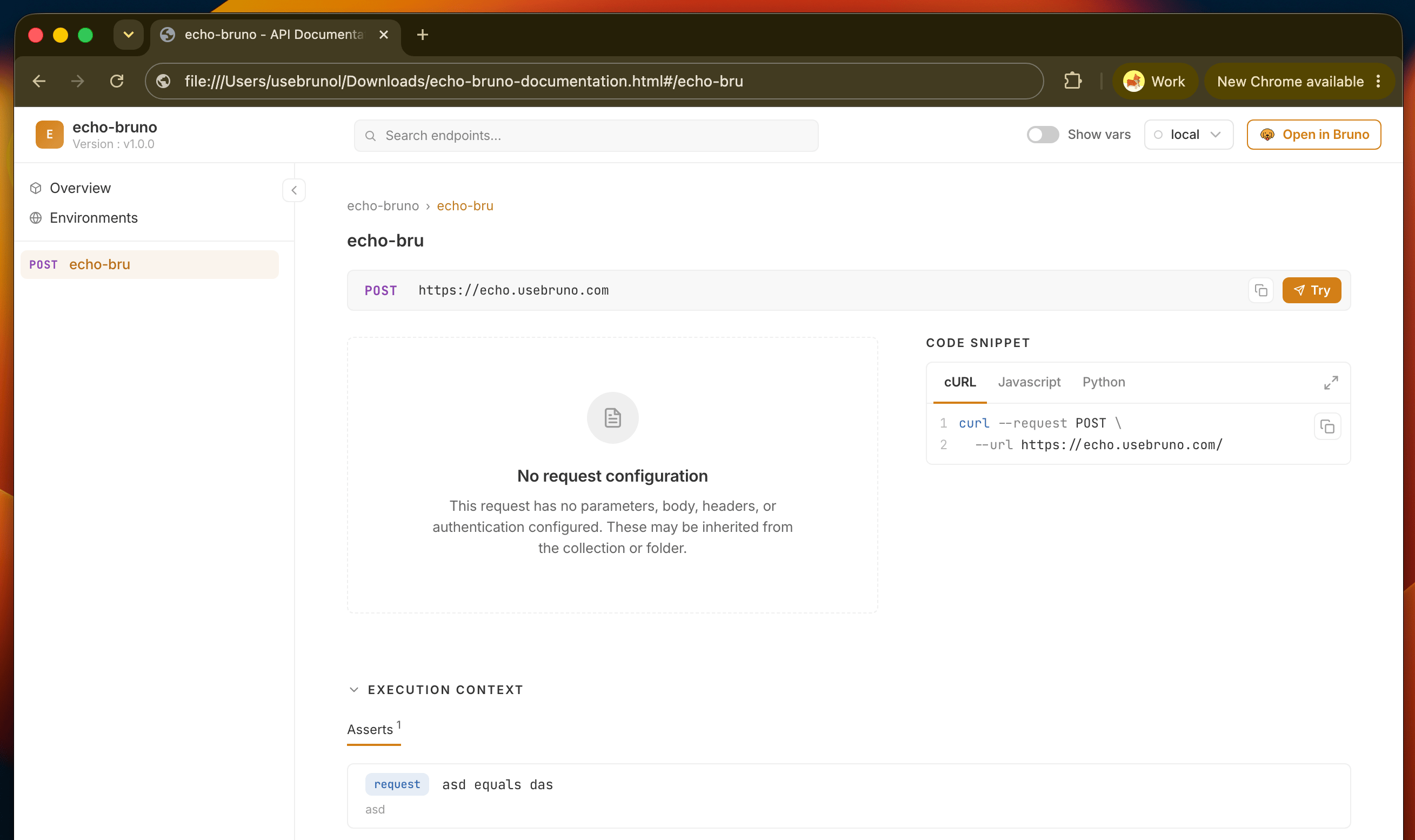 This is a publishing feature, not an authoring one: Bruno builds the site for you from what's already in your collection — requests, params, headers, auth, scripts, and tests — along with any [documentation you've written](/api-docs/overview) at the collection, folder, and request levels.
The markdown docs you write inside Bruno are what fill out the descriptions in the generated site. The better your [written docs](/api-docs/overview), the better the generated output.
## What the generated site includes
* **[Interactive playground](/html-docs/playground)** — readers can edit and execute requests live from the docs, with auto-generated code samples in cURL, Python, and JavaScript
* **[Environment switcher](/html-docs/environments)** — resolve `{{var}}` placeholders against any included environment
* **[Full-text search](/html-docs/search)** — find requests by name, URL, params, or description
## Get started
1. [Generate documentation](/html-docs/generate) — create the HTML file from your collection
2. [Deploy and share](/html-docs/deploy) — host it, or just send the file
This is a publishing feature, not an authoring one: Bruno builds the site for you from what's already in your collection — requests, params, headers, auth, scripts, and tests — along with any [documentation you've written](/api-docs/overview) at the collection, folder, and request levels.
The markdown docs you write inside Bruno are what fill out the descriptions in the generated site. The better your [written docs](/api-docs/overview), the better the generated output.
## What the generated site includes
* **[Interactive playground](/html-docs/playground)** — readers can edit and execute requests live from the docs, with auto-generated code samples in cURL, Python, and JavaScript
* **[Environment switcher](/html-docs/environments)** — resolve `{{var}}` placeholders against any included environment
* **[Full-text search](/html-docs/search)** — find requests by name, URL, params, or description
## Get started
1. [Generate documentation](/html-docs/generate) — create the HTML file from your collection
2. [Deploy and share](/html-docs/deploy) — host it, or just send the file